Smart Part Detection
Requests one or more parts fully automatically and outputs the coordinates of the candidates found.
-
Management of the integrated parts buffer with automatic deletion depending on parameters image_after_send.
-
Cycle until the desired number of parts has been found. Controlled via parameters part_quantity.
-
Automatic feeding of parts based on the current assignment
-
Moving the components according to a predefined sequence
-
Automatic recognition of parts using a camera
-
Cancellation when the detection time is reached timeout
-
-
Output of items via the current requested interface
Functional principle
This sequence can be executed in different ways:
-
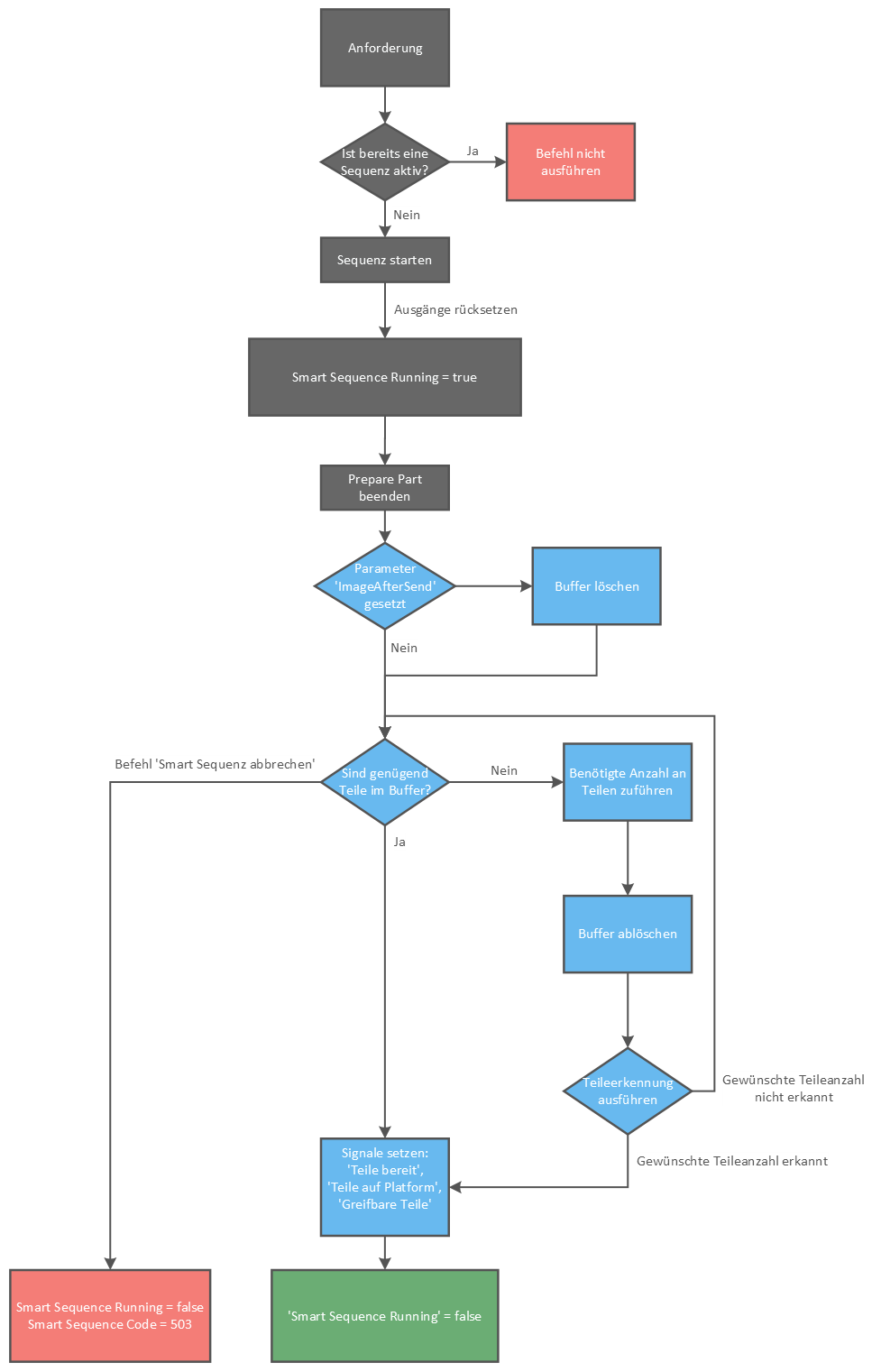
First command execution: Is this the first command execution of the entire production or is the parts buffer empty:
-
When the command is executed, an image is captured and analysed. If no good part is found, the vibration sequence is started, followed by an image analysis. These two actions are repeated until at least one good part is found.
-
If at least the required number of candidates is found, the coordinates of all parts found are saved in a list (buffer). The number of required parts is then output via the interface.
-
-
Normal operation: If the buffer contains at least the number of required parts, the coordinates are output directly via the interface.
-
No further parts: If the buffer contains no or too few parts, then
-
If new parts are delivered after
-
Performing the vibration sequence
-
Captured a new image and performed the recognition
-
Get Part
Get Part internally blocks all other commands and is limited by the recognition time in the runtime.
Prepare Part
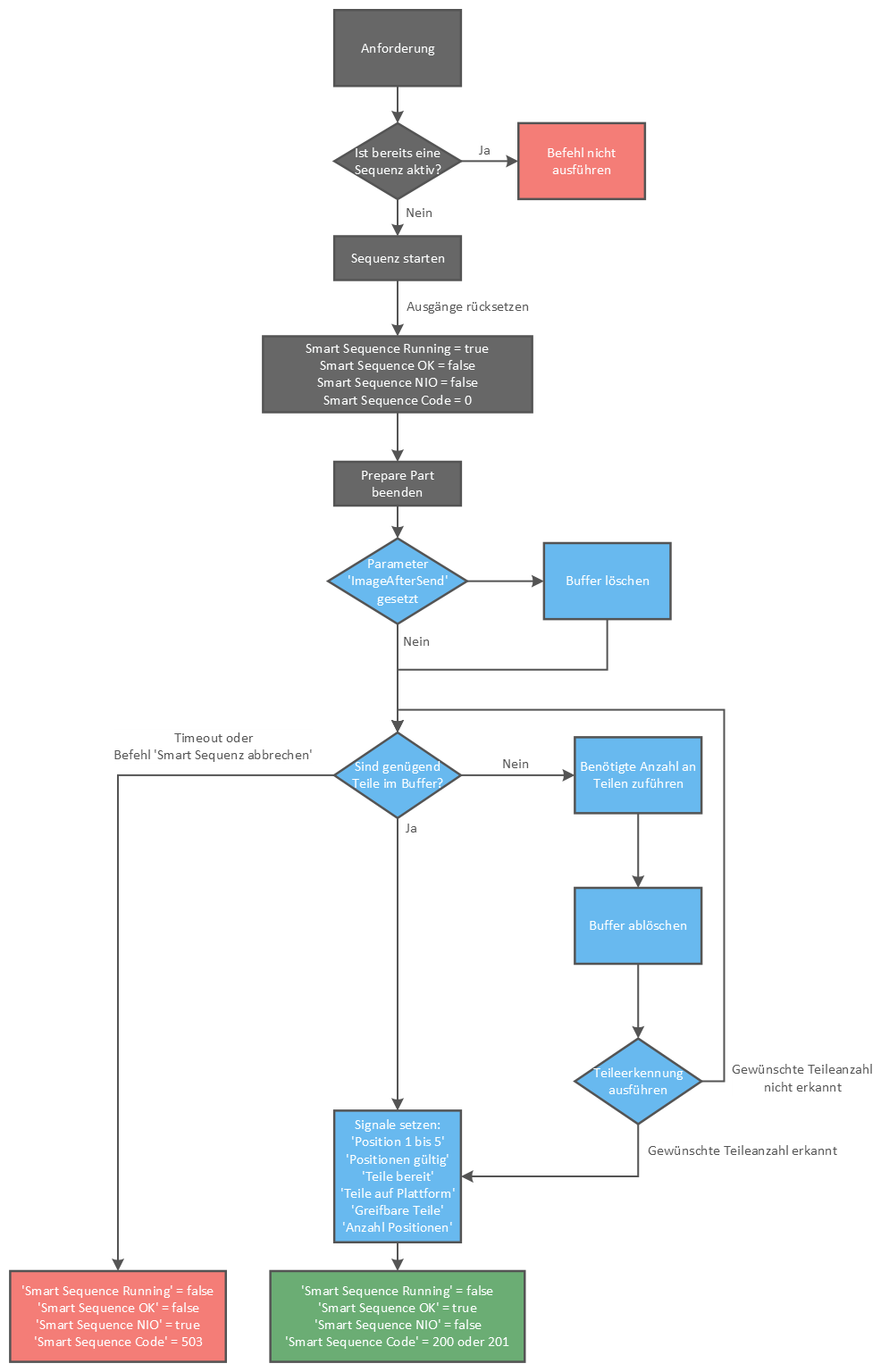
Prepare Part runs in the background, does not block any other commands and continues to run endlessly without a timeout. It is therefore ideal for preparing parts for Get Part.